NOWPayments Pro for WHMCS: installation and setup
Accept Bitcoin and 300+ cryptocurrencies in WHMCS. Install the module, connect your NOWPayments account and start getting paid.
Upload the module, activate it in WHMCS, paste your NOWPayments API key and IPN Secret, add the IPN URL in your NOWPayments dashboard, and enter your license key. Most stores are done in about 10 minutes.
Requirements
- WHMCS 8.x or 9.x
- PHP 8.x recommended, with the cURL and JSON extensions
- A NOWPayments account. Don’t have one yet? Create a free account.
- HTTPS on your WHMCS site, and the correct System URL in Setup→General Settings
- A NOWPayments Pro license key (starts with
NPP-). The module runs in trial mode for 7 days after first use.
1. Upload the files
Download the latest nowpayments-whmcs zip from your client area and extract it on your computer. Upload the contents of the modules folder to the root of your WHMCS installation (the folder that contains configuration.php), keeping the same paths:
Upload over FTP, SFTP or your hosting file manager. If you upload as root, give the files back to the site’s user afterwards (files 644, folders 755).
2. Activate the gateway
- Open the payment gateways
In WHMCS Admin go to System Settings→Payment Gateways (in older versions: Setup→Payments→Payment Gateways) and open All Payment Gateways.
- Click NOWPayments Pro
The module card shows the developer and support links. Click Activate (or Manage if it is already active).
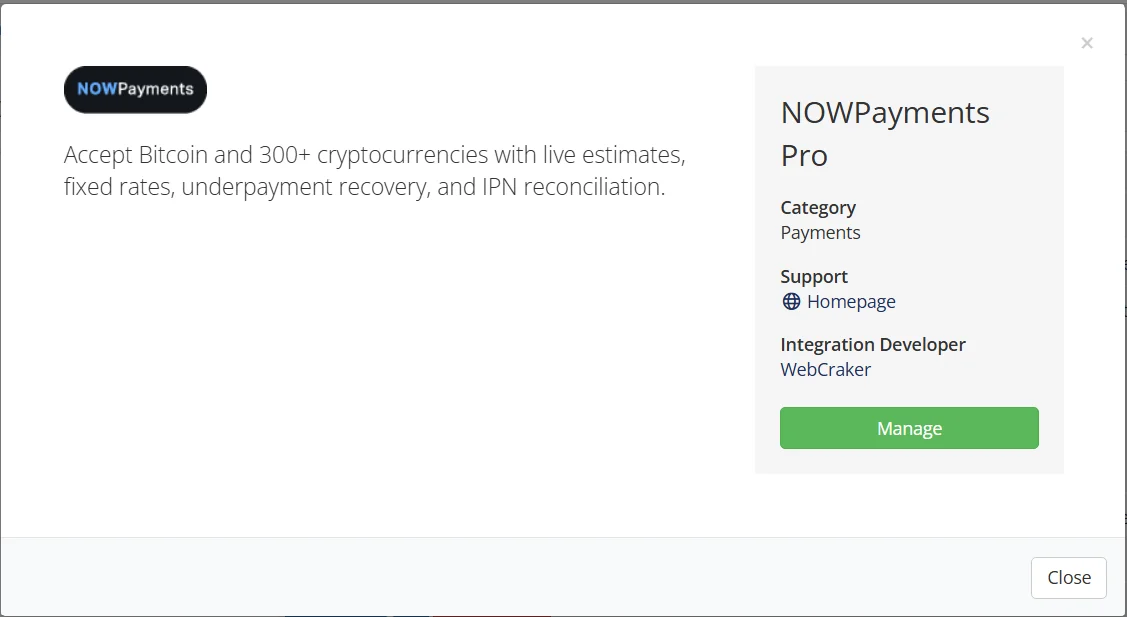
NOWPayments Pro in the WHMCS gateway list.
3. Get your API key and IPN Secret
The module needs two different values from your NOWPayments dashboard:
- API key
In NOWPayments open Settings→Payments→API keys and create or copy a key.
- IPN Secret
On the same page open Instant payment notifications and generate the IPN secret key. Copy it right away: NOWPayments shows it only once.
The API key and the IPN Secret are not the same thing. Mixing them up is the most common cause of the “HMAC signature does not match” error.
4. Fill in the gateway settings
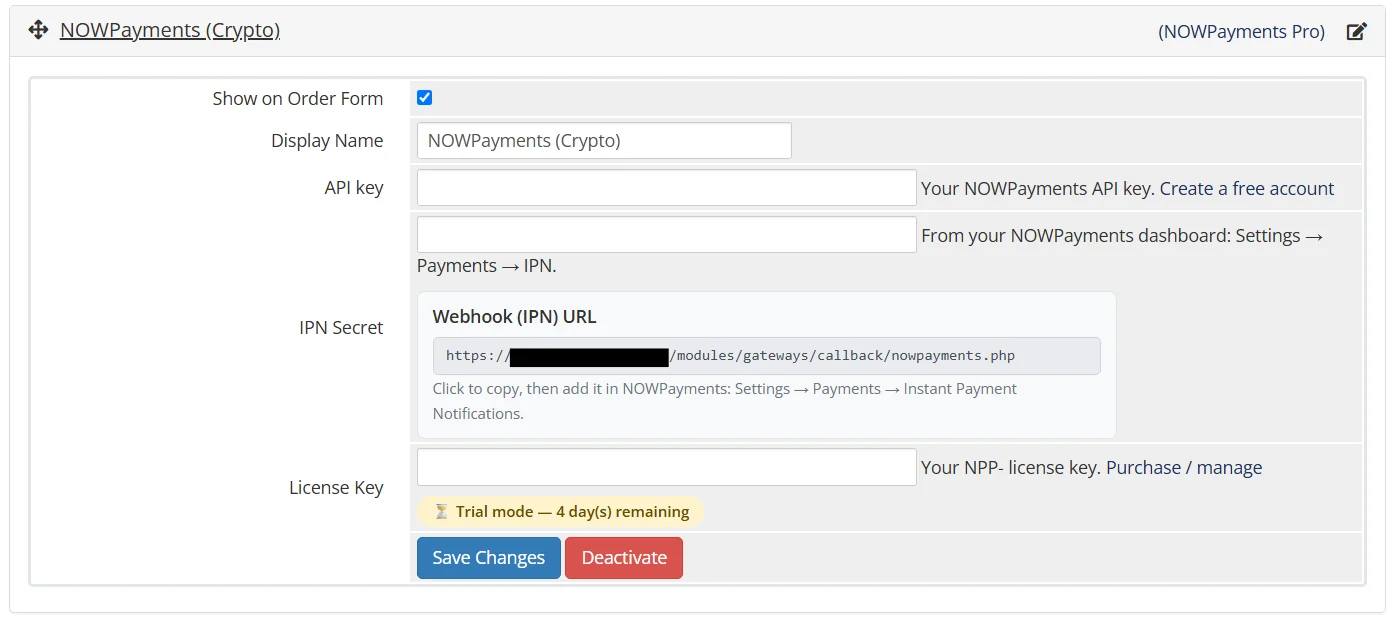
| Setting | What to enter |
|---|---|
| Show on Order Form | Tick it so clients can choose crypto at checkout. |
| Display Name | The name clients see, for example NOWPayments (Crypto). |
| API key | Your NOWPayments API key. |
| IPN Secret | Your NOWPayments IPN secret key. The box under it shows your Webhook (IPN) URL. |
| License Key | Your NPP- license key. The license status appears under the field. |
Click Save Changes.
5. Add the IPN URL in NOWPayments
NOWPayments tells WHMCS that a payment arrived through an IPN (instant payment notification). Without it, payments are received but invoices stay Unpaid.
- Copy the URL from WHMCS
Click the URL in the Webhook (IPN) URL box to copy it. It looks like this:
https://your-whmcs-domain.com/modules/gateways/callback/nowpayments.php - Paste it in NOWPayments
Open Settings→Payments→Instant payment notifications, paste the URL and save.
The URL is built from the System URL in WHMCS. If it shows http:// or the wrong domain, fix the System URL first.
6. Activate your license
Paste your NPP- key in License Key and save. Without a key the module works in trial mode for 7 days from the first use, and the settings page shows how many days are left.
The module checks the license once every 5 days and keeps working through short outages of the license server, so your checkout never breaks because of a network hiccup.
7. Set up the reconciliation cron (recommended)
If an IPN never reaches your site (firewall, Cloudflare/WAF rule, downtime), the reconciliation script asks NOWPayments for the payment status and records it. Add this cron job to run every 15 to 30 minutes:
*/15 * * * * php -q /path/to/whmcs/modules/gateways/nowpayments/reconcile.phpIf you can’t add a command cron, you can call it over HTTPS instead. Get your token once from the server:
php -q /path/to/whmcs/modules/gateways/nowpayments/reconcile.php tokenThen schedule this URL with any cron service:
https://your-whmcs-domain.com/modules/gateways/nowpayments/reconcile.php?token=YOUR_TOKEN8. Test a payment
Open any unpaid invoice in the client area and choose NOWPayments as the payment method. The client sees a Pay with Crypto button:
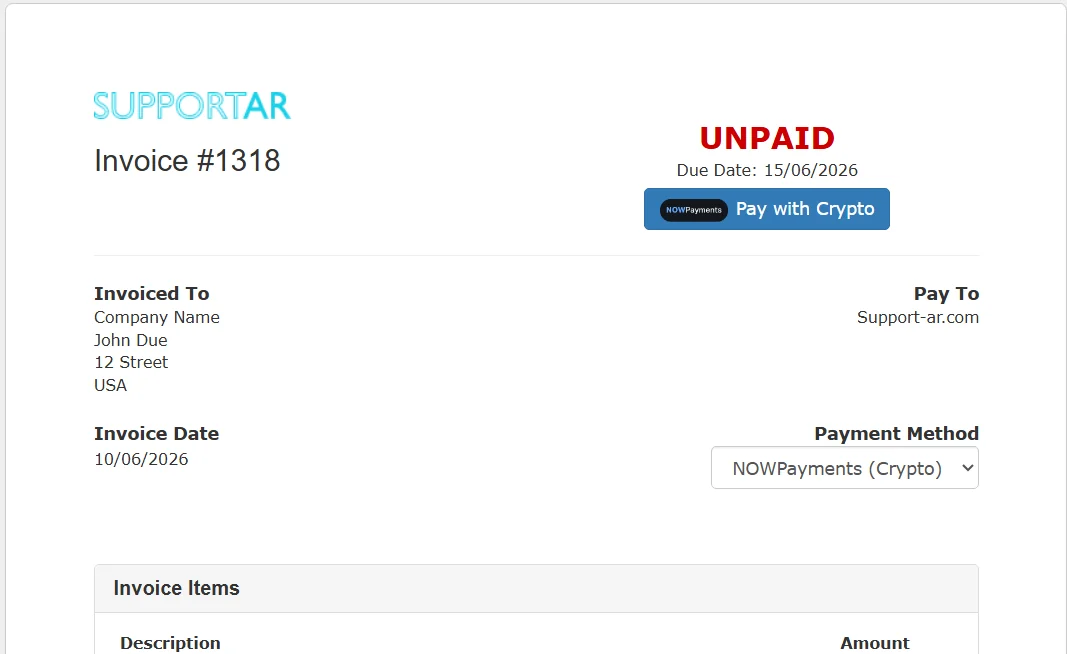
The button opens the NOWPayments hosted payment page, where the client picks a coin. Only coins that are valid for the invoice amount are shown. When the payment is confirmed, the IPN marks the invoice as Paid.
How payments work
- Hosted checkout: each payment is created through the official NOWPayments API and every request is logged in Billing→Module Log (the API key is hidden).
- Underpayments: if a client sends less than the invoice total (
partially_paid), clicking Pay again creates a top-up payment on the same purchase, so the client can pay the rest without contacting you. - Security: every IPN is verified with the official HMAC-SHA512 signature, and a payment is never recorded twice.
- Refunds: payments refunded in NOWPayments are logged and flagged for your review.
Troubleshooting
Invoices stay Unpaid and there are no entries in the Gateway Log
The IPN is not reaching your site. Allow /modules/gateways/callback/nowpayments.php in Cloudflare, ModSecurity or your firewall, check the IPN URL in NOWPayments, and run the reconciliation cron as a safety net.
“HMAC signature does not match”
The IPN Secret in WHMCS doesn’t match the one in your NOWPayments dashboard. Generate a new one, paste it in both places and save.
“This payment method is currently unavailable”
The trial has ended or the license is not valid. Check the license status under the License Key field.
API errors
Open Billing→Module Log. Every request and response to NOWPayments is recorded there.
Need a hand? Our team can install and configure NOWPayments Pro on your WHMCS for you.
Open a ticket